Being paid in dollars is one thing. Knowing exactly what to do with those dollars — how to receive them cleanly, manage them strategically, and spend them without friction — is another thing entirely. For Nigerian professionals working with international clients, managing dollar income has historically required piecing together multiple tools and platforms just to do what should be straightforward.
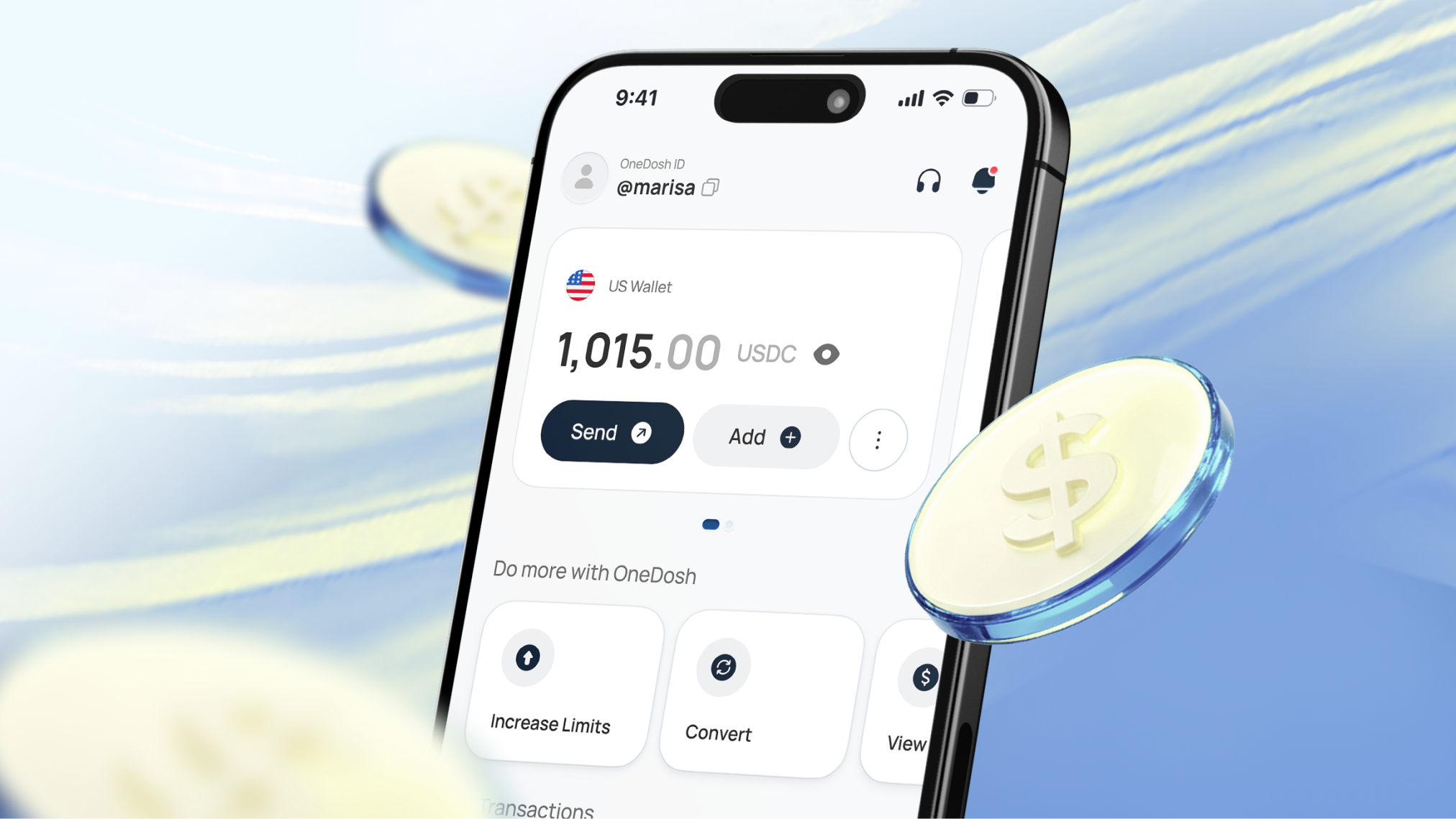
Your OneDosh USD wallet brings all of it into one place.
How to receive dollars directly into your OneDosh wallet
To receive money into your OneDosh USD wallet, share your wallet details with whoever is paying you — a client, a company, a platform. They send. It lands.
To find your wallet details:
Step 1
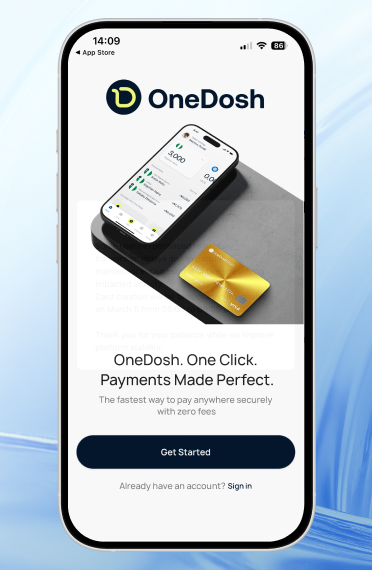
Open the app
Step 2
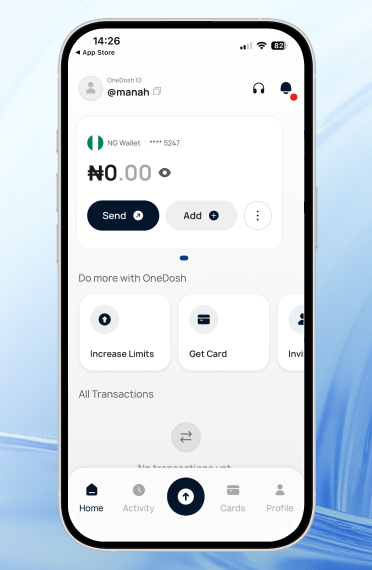
Go to your USD wallet
Step 3
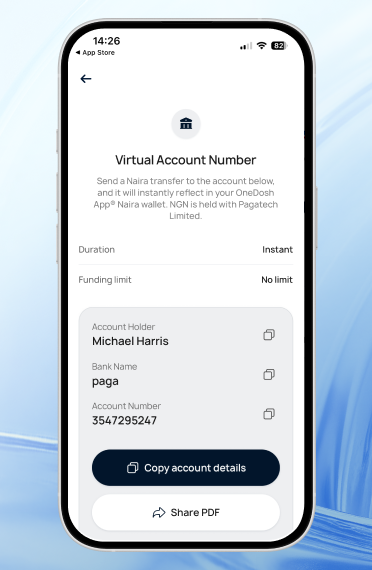
Tap Add and select Bank Account
Everything the sender needs is right there. And if they prefer to send stablecoins, your wallet address is there too.
You can find it by;
Step 1
Opening the OneDosh app and going to your USD wallet
Step 2

Tapping Add and selecting the stablecoin option
Step 3

Choosing your network and confirming it is accurate
Step 4
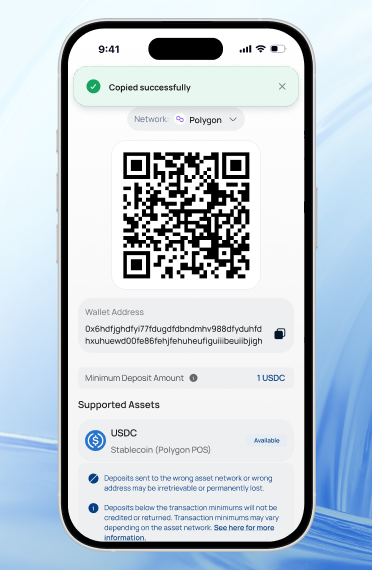
Copying the wallet address or scanning the QR code and sharing it with your sender
Once the money lands, it's yours tomanage immediately.
How to hold dollars and convert at the right time
Your OneDosh USD wallet holds your dollars separately from your Naira balance, which means you can receive payments in USD and decide what to do with them on your own terms — convert now, convert later, or keep them in dollars for spending.
For Nigerian professionals managing income across two currencies, this flexibility matters. Converting when the rate works in your favour rather than the moment a payment arrives is a simple habit that makes a real difference over time.
When you're ready to convert:
Step 1
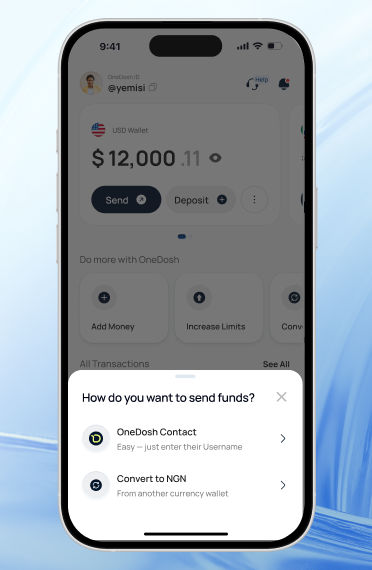
Open the app and go to Convert
Step 2

Select USD to NGN
Step 3
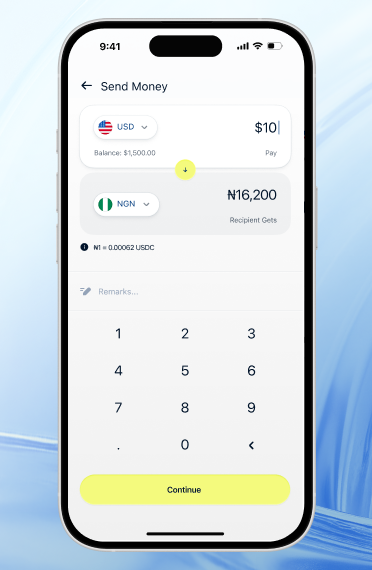
Enter your amount and confirm
Your Naira lands in your NGN wallet immediately. If you want to convert back later, the same process works in reverse.
How to spend your dollars globally without a foreign bank account
Your OneDosh USD wallet is directly connected to your virtual card. The dollars in your wallet can be used to pay for anything Visa accepts — Notion, AWS, Figma, Netflix, flights, hotel bookings, international freelance platforms, and anything else your work or life requires.
To set up your virtual card:
Step 1

Open the OneDosh app and go to your USD wallet
Step 2
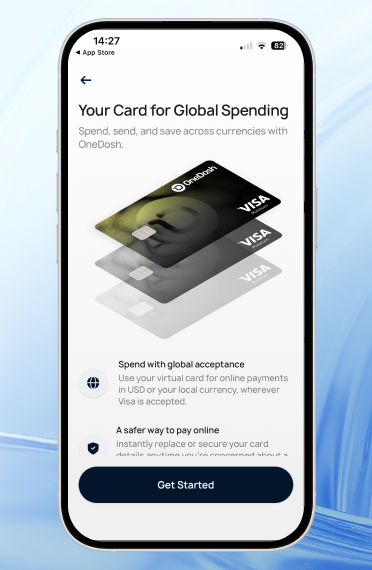
Tap Cards
Step 3
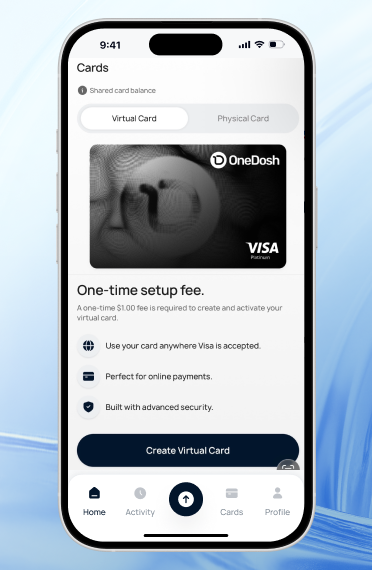
Select Create Virtual Card
Step 4
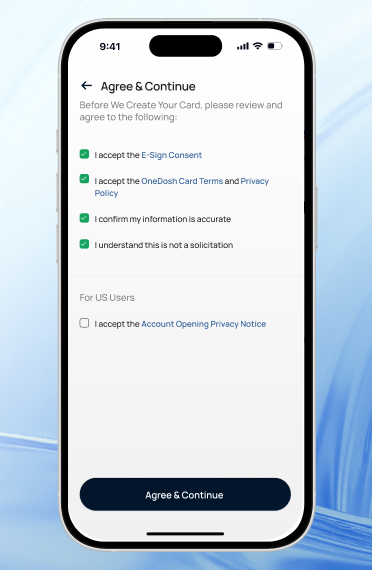
Follow the prompts to generate your card details
Step 5
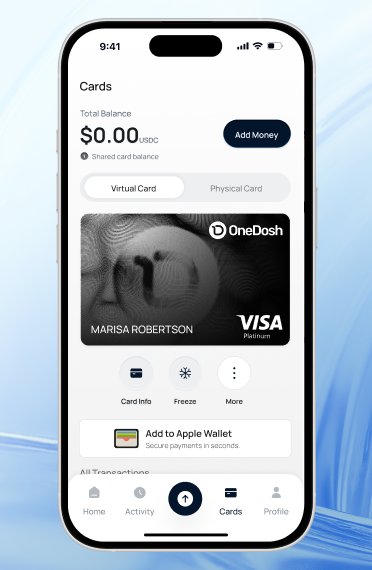
Fund your card, and you're ready to spend
The whole process takes only a few minutes. Your card details are generated instantly and work like any other Visa card at checkout — anywhere in the world.
One wallet. Everything you need to manage dollar income.
Receive international payments directly. Hold dollars and convert when the timing is right. Spend globally with your virtual card.
OneDosh brings all three together inside a single app, so managing your dollar income feels as straightforward as it should.
Open your OneDosh account today and access your USD wallet from day one.

.png)
.svg)


.svg)
.svg)