Menu
There is a version of your financial life where sending money abroad is simple, receiving international payments is straightforward, and spending globally doesn't require a workaround. That version exists inside your OneDosh account. And the only thing standing between you and it is verification.
Identity verification — KYC — is the step that activates everything. It is also the step most people put off, not because it is difficult, but because it feels like one more form to fill. It isn't. Done right, it takes a few minutes and opens up your account completely.
Here is everything you need to know to get through it.
Once your identity is verified, your OneDosh account is fully active.
That means:
Verification is not a formality. It is what transforms your account from a sign-up into a fully functional financial tool.
Getting your documents ready before you begin makes the process significantly smoother. Here is what you will need:
Make sure your ID has not expired and that the details you enter — your name, address, and date of birth — match your documents exactly. Small discrepancies are the most common reason verifications are flagged for review.
Once your documents are ready:
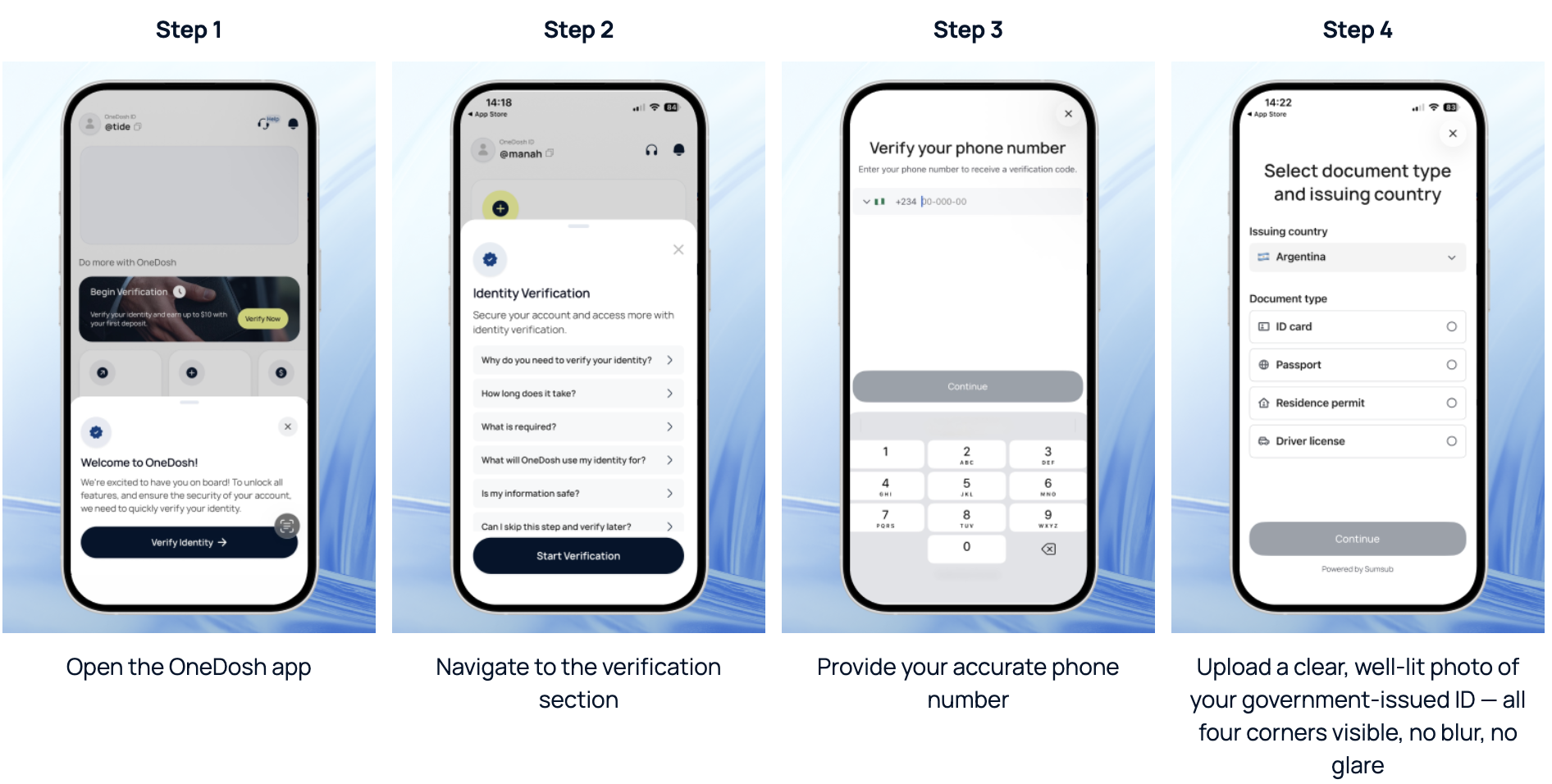
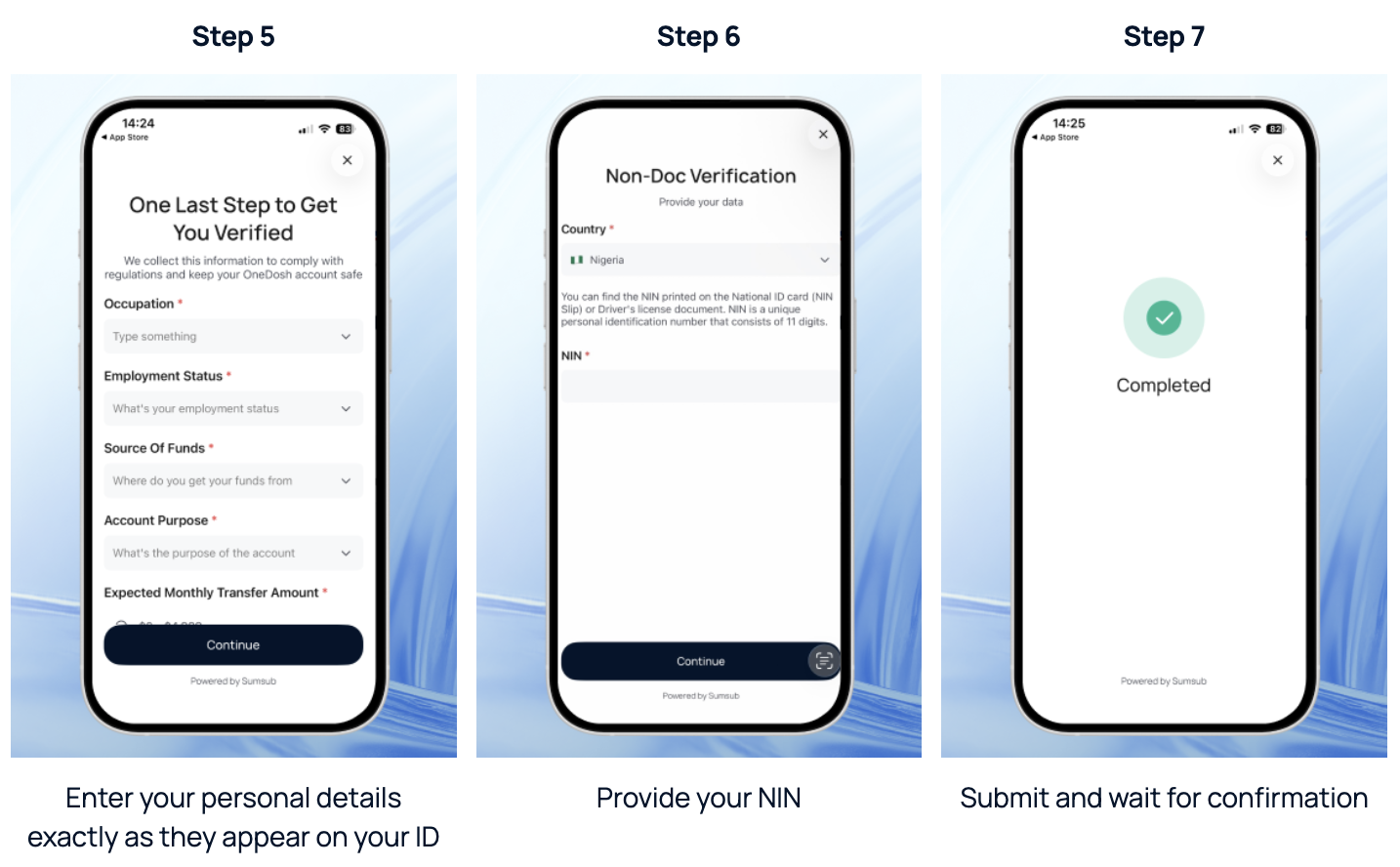
Most verifications are processed smoothly when the right documents and accurate details are provided. If yours requires additional review, our support team is available at support@onedosh.com to help you through it.
A rejection is not the end of the road. The most common reasons verifications fail are fixable — a blurry document photo, a name that doesn't match exactly, an incorrect postcode, or inconsistencies in your financial profile. Review your submission against your documents carefully, make the necessary corrections, and resubmit.
If you are unsure what went wrong, reach out to support@onedosh.com with a description of the issue. The team will help you identify what needs to be corrected and get your verification through on the next attempt.
The account you signed up for is waiting
Verification is the bridge between creating an account and actually using it. Every feature OneDosh offers — every transfer, every conversion, every global transaction — is on the other side of this step.Open the OneDosh app today and complete your verification. It takes a few minutes. What it gives you lasts a lot longer.
.svg)


.svg)
.svg)